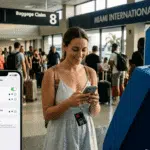
Tampa Airport Terminal Guide: Master Your Florida Arrival
Practical terminal layout blueprints, ground transit hacks, and avoiding cellular bottlenecks at TPA.
This Tampa Airport terminal guide is your absolute first step to mastering your upcoming Florida vacation layout. When I was planning my first big trip to the Gulf Coast, I spent hours on forums trying to figure out: what is the ultimate tampa travel guide? The truth is, the ultimate guide doesn’t just cover beaches or hotels; it starts the exact second you step off the plane.
Landing at TPA is notoriously smooth, but reading a practical Tampa Airport terminal guide before you fly is essential. Navigating the physical terminals, locating your ground transportation, and maintaining a live data connection can quickly become a logistical nightmare if you arrive unprepared. I learned this the hard way, and I don’t want you to repeat my mistakes.
🛬 The Arrival Challenge: How to Navigate Tampa Airport Arrivals
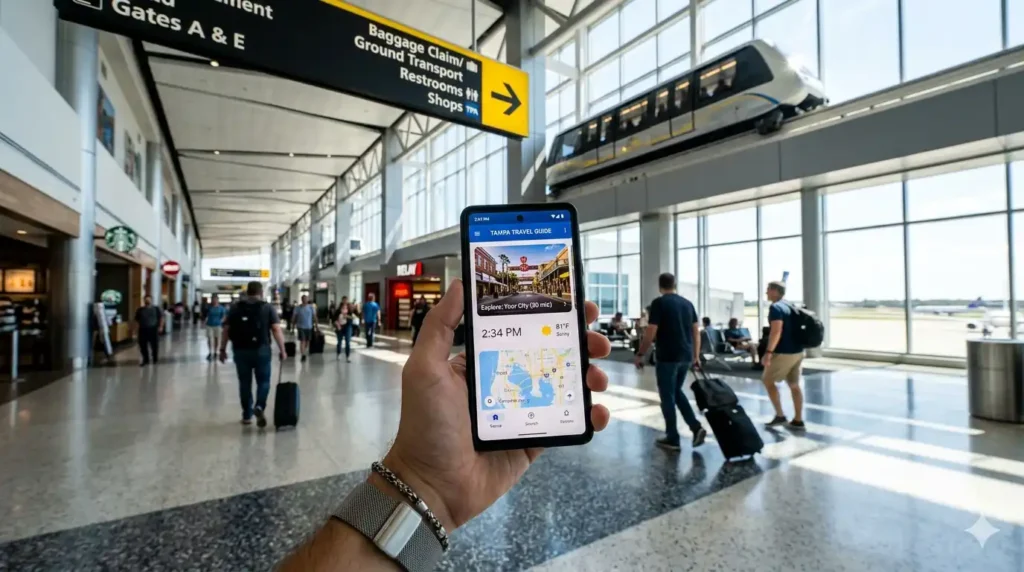
When you walk off the jet bridge, you will land at one of the four active airsides (A, C, E, or F). To reach the main terminal, every passenger must take a short, automated shuttle train. While this system is incredibly fast, the immediate crowd density creates a major hidden bottleneck that caught me completely off guard: severe cellular network congestion at TPA airport.
As hundreds of passengers switch off airplane mode and activate their phones simultaneously, local cell towers get heavily overloaded. I remember standing there, checking my phone for any updated Tampa Airport terminal guide tips, but my screen was totally frozen. This network lag hits you right when you need to coordinate your next move, making it crucial to have your data connection sorted before you fly.
📍 Strategic Tips: My Personal TPA Terminal Blueprint
To bypass the arrival chaos and experience stress-free transit, you must understand the layout of the Main Terminal. This is where you will collect your luggage and choose your ground transportation based on this official Tampa Airport terminal guide setup coordinates:
🚖 Tampa Airport Rideshare Pickup Zones
If you are using Uber or Lyft, head down to the Baggage Claim level. Drivers pick up passengers at designated curbsides on both the Red and Blue sides of the terminal. I always check which side my bags are on first, then order my ride.
🚘 TPA Car Rental Center SkyConnect
If you are renting a vehicle, do not look for cars outside baggage claim. You must take the dedicated SkyConnect train from the Main Terminal directly to the remote Rental Car Center.
Understanding this specific layout is core to essential tampa travel advice, ensuring you don’t waste hours wandering through the wrong levels of the terminal with heavy suitcases.
⚠️ The Wi-Fi Trap: Navigating Your Ongoing Travel Options
Now, here is where my biggest mistake happened. I assumed I could just rely on the free Tampa International Airport Wi-Fi login to order my ride and open my maps. Big mistake. Public networks inside busy airports introduce severe lag and serious security vulnerabilities. When I tried to log in, the connection dropped three times while my Uber app was attempting to locate me, and I almost lost my driver.
📡 Continuous Highway Data is Essential
Reliable cellular data is a survival tool, especially if you are exploring further out after leaving the airport.
For instance, if you are researching orlando to tampa travel options or planning how to travel from tampa to orlando via the unpredictable Interstate 4, you absolutely need real-time GPS routing to avoid massive traffic delays.
The same rule applies to coast-to-coast drivers checking miami to tampa travel options; you simply cannot afford a dead cellular zone on the highway.
💡 How I Finally Solved the Connectivity Problem
After that stressful arrival experience, I vowed never to rely on airport Wi-Fi again. The smartest tampa travel tips always emphasize following a strict Tampa Airport terminal guide protocol, which includes bypassing public airport networks entirely. Instead of hunting for expensive retail SIM kiosks inside the terminal, I found the ultimate solution: securing a digital travel profile before boarding the plane.
By downloading a virtual cellular profile using my home Wi-Fi before departure, my phone automatically connected to premium local US networks the exact second the plane touched down on the runway. It allowed me to keep my primary home country line active for critical banking alerts, while routing all my heavy internet data through fast, affordable local 5G channels. I ordered my Uber while waiting for my bags, completely stress-free.
📲 Eliminate Arrival Anxiety Before Flying
If you want to eliminate arrival anxiety completely, I highly recommend you lock in your profile before departure.
Mohamed Kacha is a digital entrepreneur and tech writer specializing in international mobile connectivity and travel tech. With hands-on experience navigating roaming challenges and testing global eSIM solutions, Mohamed is dedicated to helping travelers stay connected seamlessly without breaking the bank