Orlando to Tampa & Miami Drive: Best Prepaid eSIM Guide
How to avoid GPS signal drops, I-4 traffic jams, and Florida highway dead zones with top eSIM providers.
An Orlando to Tampa drive requires a perfectly reliable cellular connection from the very start. Florida road trips mean sunshine, palm trees, and endless highway miles.
Yet, nothing kills the vacation vibe faster than a dropped GPS signal in heavy traffic. Losing your cellular connection between major cities turns an exciting drive into an immediate stress test.
Whether you are plotting an Orlando to Miami getaway or heading west, staying connected is vital. To fully prepare before hitting the road, make sure to read our comprehensive Orlando travel and connectivity guide to smooth out your entire itinerary. 🛣️
🌊 Cruising the West Coast: What to Expect on Your Orlando to Tampa Drive
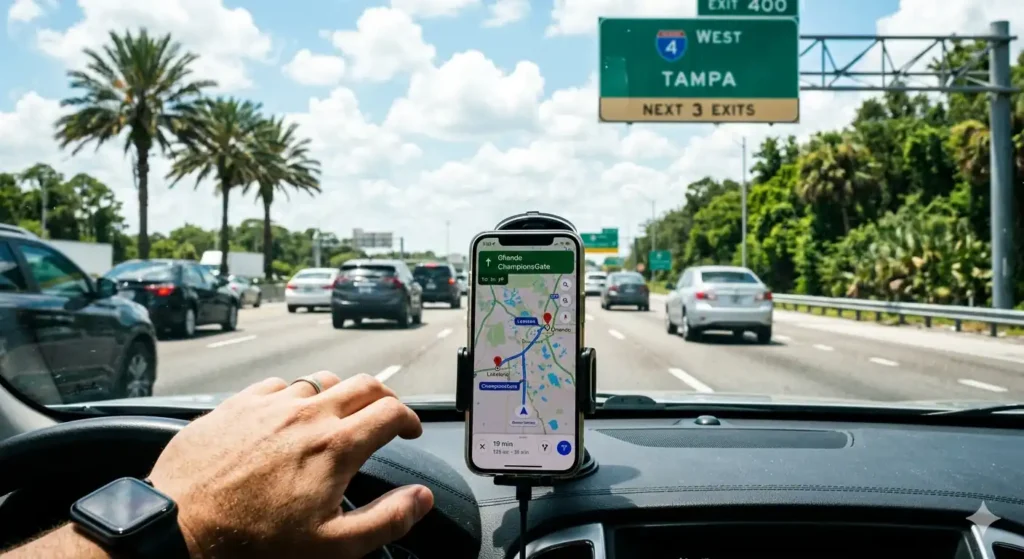
The Orlando to Tampa drive is notoriously unpredictable, mostly thanks to Interstate 4 (I-4). I-4 is packed with commuters, tourists, and sudden slowdowns.
Heavy network congestion frequently causes Google Maps or Waze to lag right when exits appear. Missing your turnoff around Lakeland or ChampionsGate can add forty minutes to your travel time.
That is why having a reliable digital travel backup is a game changer for this route. For a complete breakdown of things to do once you arrive, check out our Tampa eSIM Travel Guide.
You can check real-time traffic updates on the Google Maps Official Site before starting your journey to route around I-4 congestion.
🏖️ Road Tripping South: Cruising from Orlando to Miami
Heading south means tackling a long, three-and-a-half-hour Orlando to Miami drive. You will likely cruise down the Florida Turnpike or I-95, where the scenery quickly blurs together.
Continuous data is necessary here for streaming road trip playlists and spotting highway speed traps. As you approach the city, navigating chaotic Miami traffic requires zero downtime from your phone.
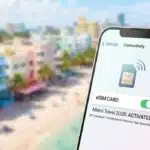
A seamless connection ensures you hit your hotel beachside without a single wrong turn. Ready to explore the Magic City? Dive into our best eSIM for Miami guide to plan your ultimate itinerary. 🌴
📱 Top eSIM Options for Florida Highways: Feature Breakdown
To keep your GPS responsive and music streaming without buffering on Florida turnpikes, picking the right prepaid eSIM provider is essential. Here is how the top brands compare for your road trip:
⚡ Airalo (T-Mobile / Verizon Network)
Best for Budget GPS Navigation
Key Features: Extremely affordable entry-level packages starting around $4.50 for 1GB. Perfect if you only need live turn-by-turn navigation on Google Maps or Waze without paying for heavy data blocks.
♾️ Holafly (Unlimited Data & Network Switching)
Best for Heavy Highway Streaming
Key Features: Offers 100% unlimited data packages that automatically switch between AT&T and T-Mobile towers. Ideal for long drives where you want uninterrupted Spotify playlists, podcasts, and zero worries about running out of megabytes mid-route.
🛡️ Nomad (Flexible Data & Full Hotspot)
Best for Passenger Hotspot Sharing
Key Features: Generous mid-sized data bundles (10GB-30GB) with full mobile hotspot tethering enabled. Excellent for sharing your high-speed signal with kids or passengers in the backseat throughout the drive.
📡 Why Local Data Backups Matter on Florida Highways
Many travelers assume local US highway networks are entirely flawless. However, rural stretches between major tourist hubs often have surprising cellular dead zones.
According to the Visit Florida Official Tourism Site, preparing your routes in advance is essential for safety.
If your home network encounters a tower blackout, you lose live GPS navigation, toll-road updates, and highway safety tools instantly.
Ensures continuous backup data anywhere on Florida turnpikes. Eliminates searching for public Wi-Fi when lost in rural areas.
Smart road trippers prepare their digital connection long before hitting the open highway.

Mohamed Kacha is a digital entrepreneur and tech writer specializing in international mobile connectivity and travel tech. With hands-on experience navigating roaming challenges and testing global eSIM solutions, Mohamed is dedicated to helping travelers stay connected seamlessly without breaking the bank