Are Your eSIM Devices Fully Configured & Ready for Your Upcoming Florida Vacation?
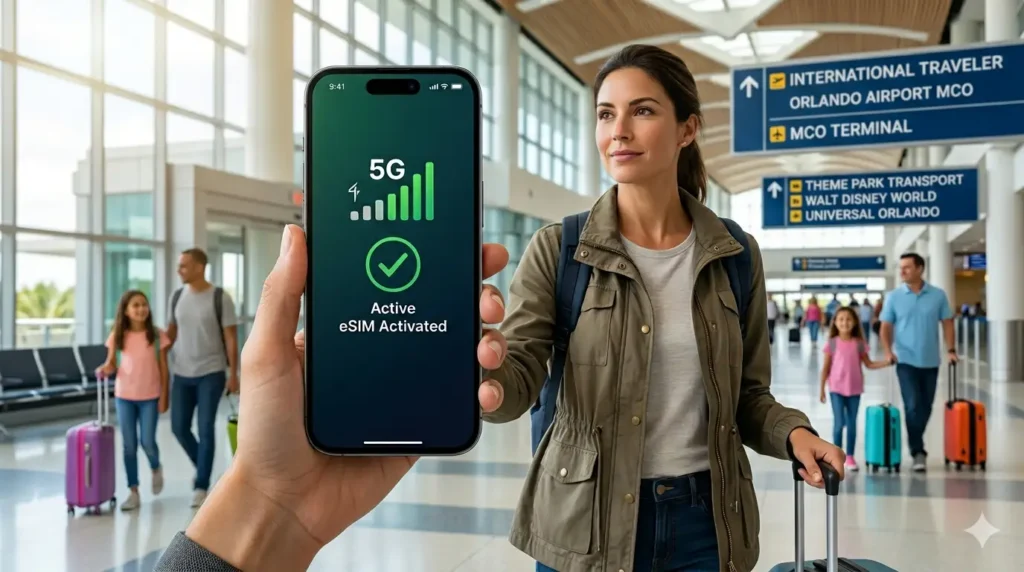
Ensure your smartphone is primed to connect the exact second your plane touches down at Orlando International Airport.
Imagine stepping off your long flight at Orlando International Airport (MCO), exhausted but excited to head straight to your resort.
But as you pull out your phone, panic hits you when you realize you have zero internet connection. If you haven’t verified your smartphone’s compatibility before leaving home, you are walking directly into a high-stress airport nightmare.
To ensure your Florida vacation starts with absolute perfection, you need to sync your tech before you fly. Make sure to consult The Ultimate Guide to Getting an eSIM Card in Orlando (2026 Edition) to build your complete bulletproof connectivity strategy before stepping onto the tarmac. 🛫
🚨 The Silent MCO Connectivity Trap: Why Your Vacation is at Risk
Most international travelers landing at MCO make a critical, expensive mistake the moment they walk past customs. They assume they can just figure out their mobile data on the fly, leaving them vulnerable to local airport traps.
You are immediately faced with two terrible options: paying extortionate roaming fees to your home carrier, or standing in chaotic lines to buy an overpriced physical SIM card.
The airport mobile kiosks know you are desperate, and they manipulate that desperation to drain your wallet. Orlando International Airport SIM card sellers routinely charge double the standard market rate for low-data packages, banking on your lack of preparation. 💸
🛡️ The Hidden Dangers of Free MCO Airport Wi-Fi
Your other tempting option is to connect to the free MCO airport wifi network, but this is a massive cybersecurity trap. Public airport networks are notoriously unencrypted, making them a playground for sophisticated hackers sniffing for sensitive data.
The moment you log into unverified airport Wi-Fi, you risk exposing your passwords, credit card details, and personal identity. Furthermore, these free public networks are notoriously slow, lagging so severely that loading a simple rideshare app becomes completely impossible.
By selecting one of the globally verified eSIM compatible devices, you can also secure the best eSIM for Miami configuration if your South Florida road trip starts there, ensuring an encrypted, high-speed connection the exact second your plane touches down. 🔒
📲 Is Your Phone Ready? The Ultimate 2026 Master List of eSIM Devices
Before you purchase any digital data plan for your Orlando trip, you must confirm your hardware supports it. If your device is locked by your home carrier or lacks the necessary digital chip, your prepaid plan will be completely useless.
To make things incredibly effortless, we have compiled the definitive 2026 master list of smartphones that support digital SIM configurations. Review this breakdown to ensure your specific model is ready for a seamless Florida landing:
Apple iPhone Compatibility
iPhone 14, 15, and 16 Series: All models (Standard, Plus, Pro, Pro Max) are fully optimized for digital data profiles, with US models operating entirely without physical slots.
iPhone 11, 12, and 13 Series: Every model supports dual-active digital profiles effortlessly.
iPhone XR, XS, and XS Max: These legacy models are fully compatible and capable of running global data roaming.
iPhone SE (2020 and 2022): Budget-friendly and fully equipped with digital chip technology.
Samsung Galaxy Compatibility
Galaxy S24, S25, and S26 Series: The latest flagship generations offer advanced, lightning-fast multi-carrier switching.
Galaxy S20, S21, S22, and S23 Series: Fully compatible (Note: Please verify that your specific regional carrier has not restricted the internal chip).
Galaxy Z Fold & Z Flip Generations: Every single model of Samsung’s foldable lineup supports instant digital activations.
Galaxy Note 20 and Note 20 Ultra: The final Note generation features reliable, built-in digital network capabilities.
Google Pixel Compatibility
Google Pixel 7, 8, 9, and 10 Series: Pixel devices offer some of the most seamless, user-friendly digital network provisioning on the market.
Google Pixel 4, 5, and 6 Series: Fully compatible and optimized for instant network switching across US infrastructures.
Device Manufacturer
Compatible Model Families
Special 2026 Connection Notes
Apple
iPhone 11 through iPhone 16 Pro
US models are entirely digital (eSIM-only)
Samsung
Galaxy S20 through S26 Ultra
Carrier-locked models restricted
Google
Pixel 4 through Pixel 10 Pro
Native stock Android integration
Is Your Smartphone Verified & Ready?
Lock in your prepaid US high-speed data package now and enjoy instant connectivity upon arrival at MCO!
⏱️ How to Verify Your Device Status in Under 60 Seconds
Even if your smartphone appears on the master list of eSIM devices, it must be completely unlocked by your network provider. If you bought your handset via a monthly installment plan, your home carrier might still have a digital lock on it.
🍏 For iPhone Users:
Navigate to Settings > General > About. Scroll down to Carrier Lock—if it does not display “No SIM restrictions,” you must call your provider to unlock it before your flight.
🤖 For Android Users:
Head over to Settings > Connections > Mobile Networks. Look for an option that reads “Add eSIM”; if this menu path is visible, your device is fully primed and ready for an Orlando airport eSIM connection.
🛒 The Physical SIM Kiosk Scam vs. Modern Digital Convenience
Stepping into the bright terminal at MCO, you will immediately notice glowing advertisements trying to sell you a physical Orlando International Airport SIM card. These vendors target exhausted international tourists with predatory pricing strategies.
They force you to stand in long, agonizing lines, demand your physical passport for registration, and use metal tools to eject your home SIM card. Losing that tiny piece of plastic means losing your primary phone number when you return home.
When you choose a digital profile on one of the top esim compatible devices, you eliminate this entire headache. You retain your original physical card in your phone, allowing you to receive important bank text alerts while running all your internet data through a local US network. 🛡️
📡 Unmasking the Local Network Giants: Who Dominates Orlando?
Not all data connections in central Florida are created equal, and your actual speeds will depend heavily on local carrier towers. When you buy a digital data plan, your provider will route your traffic through one of the big three US telecommunications networks.
To discover exactly which regional carrier provides the fastest, most reliable infrastructure across International Drive, downtown, and Kissimmee, check out our comprehensive carrier analysis at T-Mobile vs AT&T vs Verizon in Orlando Network Review. 📶
Choosing a digital profile that defaults to a strong local carrier ensures you never drop your signal when uploading videos from the heart of a crowded theme park. Look for providers that offer direct access to premium US infrastructure for the best eSIM for Orlando.
⚡ Step-by-Step Activation: Secure Your Connection Before You Touch Down
The absolute secret to a stress-free landing at MCO is executing your digital profile activation while you are still sitting in your living room. Do not wait until you are struggling on the slow MCO airport wifi network to start downloading data profiles.
Follow this simple, foolproof activation roadmap to ensure you enjoy instantaneous high-speed internet the exact moment your aircraft wheels touch the Orlando runway:
Step 1: Purchase Your Plan Early
Select your ideal local data package online 24 hours before your scheduled departure flight.
Step 2: Scan the QR Code
Open your email confirmation on a secondary screen or print it out, then scan the secure activation code using your phone’s camera.
Step 3: Label Your Data Lines
Name your primary home number as “Primary” and designate your new Florida travel profile as “Travel Data” inside your network settings.
Step 4: Keep the Travel Line Off
Leave your new travel data profile toggled off while you are in mid-air to prevent your phone from searching for signals prematurely.
Step 5: Flip the Switch on Landing
As your plane taxis toward the MCO gate, toggle your travel data line to “On” and select it as your primary cellular data source.
🧳 Navigating MCO: From Airplane Gate to Your Rideshare Pick-up
Once your digital profile connects to the local cell towers, you will experience the thrilling power of an instant Orlando airport eSIM connection. While other passengers scramble to find a cell booth, you will already be breezing past customs.
With your active internet, you can easily monitor the live status of your checked luggage via your airline’s app while walking toward the baggage claim carousels. There is zero down-time, zero anxiety, and zero vulnerability to local hackers.
You can instantly open your Uber or Lyft app, compare the real-time pricing surges, and coordinate your exact pickup spot at MCO’s designated ground transportation zones. You bypass the stress and move straight into vacation mode. 🚗
🎡 Maximize Your Theme Park Experience with Continuous Data
The necessity of keeping one of the premium eSIM devices active extends far beyond the perimeter of Orlando International Airport. Central Florida’s massive theme parks are fully reliant on high-performing mobile applications.
To book virtual queues, check live standby wait times, or order food at Disney World and Universal Studios, your smartphone must maintain a constant internet connection. The free Wi-Fi inside the theme parks is notoriously spotty and completely drops out when you enter ride queues.
Mohamed Kacha is a digital entrepreneur and tech writer specializing in international mobile connectivity and travel tech. With hands-on experience navigating roaming challenges and testing global eSIM solutions, Mohamed is dedicated to helping travelers stay connected seamlessly without breaking the bank