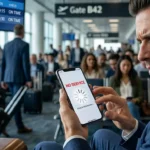
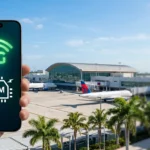
Touching down in the Magic City soon? Welcome to Miami! Between scouting the best spots on South Beach and planning your nightlife itinerary, there’s one critical tech detail you can’t afford to overlook: locking in your esim Miami Florida data plan before your flight takes off. 🌴Nothing ruins a Florida vacation faster than landing at Miami International Airport (MIA) only to find your smartphone completely stranded with zero cellular signal. You’re left offline, trying to navigate a massive, crowded terminal, or facing a gut-wrenching roaming bill from your home network provider after your trip ends.
As a local, I see tourists fall into these costly traps daily. That’s why this insider guide breaks down exactly how to keep your phone running flawlessly, bypass predatory carrier fees, and secure a premium esim Miami Florida connection for an absolute peace of mind. 🏆
The Golden Question: Will Your Device Work with an eSIM Miami Florida Profile?
The short answer is yes, but with a few essential conditions. While most modern smartphones are technically capable of connecting to US infrastructure, flawless activation depends on two major technical factors: 📡
1. Network Frequency Compatibility
US carriers operate on specific cellular frequencies that differ significantly from Europe, Asia, and Africa. Your device must support these local bands to catch a strong signal. Modern flagship devices like the iPhone 11 and newer, Samsung Galaxy S20 and newer, or recent Google Pixel models are global phones built with multi-band radios that automatically adapt to top US networks.
2. The Carrier Lock Status
This is the most common roadblock for international travellers landing in South Beach. If your device is locked to your home contract, it will refuse to accept any alternative digital profile. 🔐
Locked Phones: Forced to use your home carrier’s predatory international roaming fees.
Unlocked Phones: Give you complete freedom to use local US networks and affordable digital alternatives.
Pro Tip: Before you leave, call your current network provider or check your settings to confirm your device is 100% unlocked.
The Three Ways to Connect to Mobile Data in Miami
Once you land in Florida, you have three primary routes to get online. Let us look at the pros and cons of each option so you can make the smartest choice for your trip.
Option 1: International Roaming (The Expensive Route)
Your home carrier will gladly let you use their network partners in the US, but this convenience comes at an extortionate premium. Many international carriers charge flat daily fees ranging from $6 to $12 just to trigger your data. If you don’t buy a daily pass, pay-as-you-go rates easily reach $5 per single megabyte, leading to absolute horror stories on your next invoice. 💸
Option 2: Local Physical SIM Cards (The Inconvenient Route)
You can buy a plastic SIM card from a US carrier upon arrival, but it’s a massive logistical hassle. You will have to stand in exhausting lines after a long flight at overpriced airport kiosks, hand over your passport to strangers, and risk losing your original home SIM card during the clumsy swap.
Option 3: Prepaid eSIM (The Modern, Smart Route)
An embedded SIM is a digital profile downloaded directly onto your phone’s internal chip. By choosing a dedicated esim Miami Florida package, you can buy your data plan online before you even pack your bags, install it via a simple QR code, and activate it the exact moment your plane touches down at MIA. ✈️
Why an eSIM Miami Florida Plan is the Smartest Choice for Travelers
If you want a seamless travel experience across South Florida without compromising on time, speed, or cybersecurity, a prepaid digital SIM is the undisputed winner for several reasons: 🎯
Instant Activation: No physical store visits or waiting for shipping; everything is done digitally in under five minutes from your couch.
Dual SIM Functionality: Keep your original physical SIM active to receive important two-factor authentication (2FA) texts from your bank, while using your esim Miami Florida data plan exclusively for high-speed internet access.
Safety and Security: Digital profiles cannot be physically lost, stolen, or damaged during your travels, protecting you from local digital hackers on airport networks.
Carrier Coverage in Florida: Who Has the Best Signal?
Miami is a massive, sprawling metropolis surrounded by coastal waters and dense concrete high-rises. Network quality matters depending on where you spend your time, which is why your provider must connect to top-tier US infrastructure: 📡
T-Mobile: Offers the fastest overall 5G download speeds in urban areas. Best for exploring South Beach, Wynwood, Brickell, and Downtown. ⚡
AT&T: Known for incredible consistency and broad geographic reach. Best for day trips outside the city, such as visiting the Everglades. 🏗️
Verizon: An ultra-reliable network with excellent building penetration, optimized for business districts and luxury hotels. 🏢
The high-quality data packages we recommend automatically hook into either T-Mobile or AT&T towers, switching seamlessly to ensure you do not experience dead zones while navigating or streaming live. 🛥️
Step-by-Step: How to Get Your eSIM Ready for Florida
Setting up your digital connection is incredibly straightforward. Follow this quick local checklist to get started before your trip begins: ⚙️
Verify eSIM Compatibility: Check your settings to ensure your hardware is ready. Compatible families include iPhone XR or newer, Samsung Galaxy S20 series or newer, and Google Pixel 3 or newer.
Choose Your Prepaid Plan: Select a data package tailored to the length of your stay. Short trips (3–7 days) are perfect for a 3GB to 5GB plan. For longer holidays (10–30 days), we highly recommend a 10GB, 20GB, or Unlimited Data plan.
Install the Profile: Open the automated confirmation email containing your secure, unique QR code. Connect to your home Wi-Fi, go to your network settings, select “Add eSIM”, and scan the code. 📸
Activate Upon Arrival: When your flight lands at MIA, turn your new digital line to “On” and enable “Data Roaming” for that profile to instantly catch the local 5G network. ✈️
Practical Tech Tips for Your Miami Adventure
Now that your data is sorted, keep these practical local tips in mind to maximize your smartphone experience in the city:
Ridesharing requires internet: You cannot call an Uber or Lyft from the airport terminal or South Beach clubs without a live, reliable data connection. 🚗
Download Offline Maps: Apps like Google Maps allow you to download the entire Miami-Dade County area offline just in case you head into remote nature reserves like the Everglades. 🗺️
Keep a Power Bank Handy: The hot Florida sun combined with constant photo-taking, 5G GPS tracking, and network switching will drain your phone battery much faster than usual. 🔋
Travel Smarter with the Best eSIM Miami Florida Data Plans
Do not leave your connectivity to chance or rely on sketchy, insecure public Wi-Fi networks at local cafés. Ensuring your smartphone works seamlessly is the foundation of a safe, stress-free vacation in the Sunshine State. ☀️
By securing your premium esim Miami Florida solution before you depart, you bypass extortionate roaming fees and exhausting physical lines at the terminal. You gain instant access to high-speed 5G data the second you land, leaving you free to enjoy our beaches, nightlife, and culture without a single worry!
Mohamed Kacha is a digital entrepreneur and tech writer specializing in international mobile connectivity and travel tech. With hands-on experience navigating roaming challenges and testing global eSIM solutions, Mohamed is dedicated to helping travelers stay connected seamlessly without breaking the bank